

AXO DrawerComing soon
Line axonometrics with shadows, straight from your model
Upload your Rhino or 3D DXF model, pick the viewpoint and AXO Drawer draws the axonometric: only visible lines, faces hatched by orientation and cast shadows.
- DXF
- 3DM (Rhino)
- DXF por capas
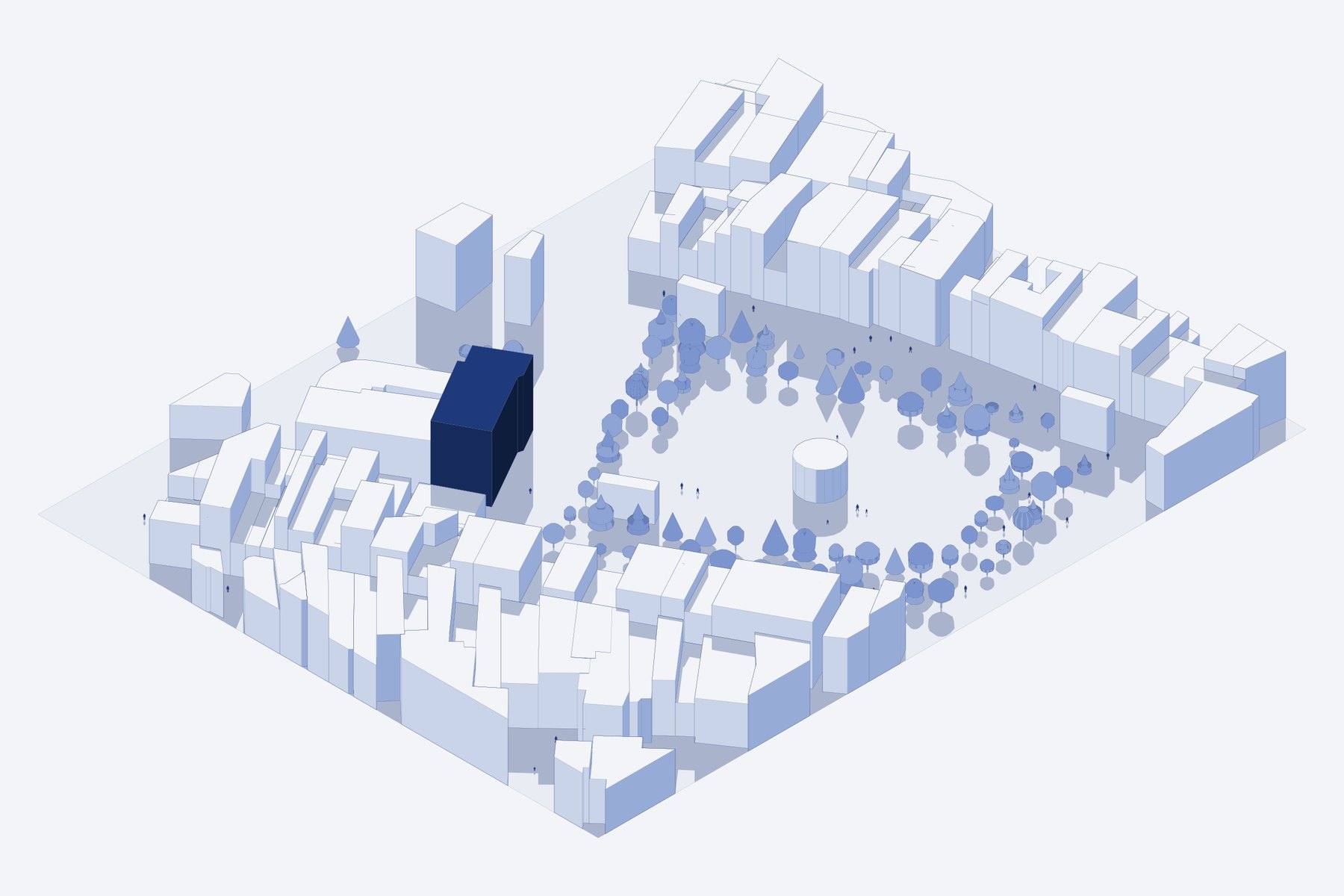
Hidden lines removed
Only what you see, clean for the board.
Hatching by orientation
Each face gets a tone depending on where it faces.
Cast shadows
With the sun position you choose.
Layered DXF
Outlines, edges, hatches and shadows kept apart.
How it works
- 1
Upload your 3D model.
- 2
Pick the view and the sun.
- 3
Download the DXF.
FAQ
How much does it cost?
You can try it for free with a librARy account. The tool licence unlocks every option and larger files.
Do I need to install anything?
No. It runs in the browser on Windows, Mac or Linux, and many tools also work on a phone or tablet.
Tell me when it's out
We'll email you the day it opens, plus librARy news (one email a month at most).
You might also like
Urban Tool
Your site plan, in minutes
Mark your site on the map and get a site plan with blocks, streets, green areas and trees as DXF, Rhino and 3D, ready for your board.
Learn moreCAD Cleaner
Your DXF, clean and ready for the board
Sort layers, apply pens and palettes, fill walls, add trees, people, shadows, areas and hatches, and export a scaled PDF. From raw DXF to presentation board.
Learn moreHORIZON 2D
Competition-ready line perspectives
Line perspectives from your 3D model with parallel verticals, hatching by orientation, shadows and lines that fade with distance.
Learn more